
- Time
- One focused rehearsal, then a full set run
- Skill
- Beginner
- For
- Solo acts, bands, worship and theater teams
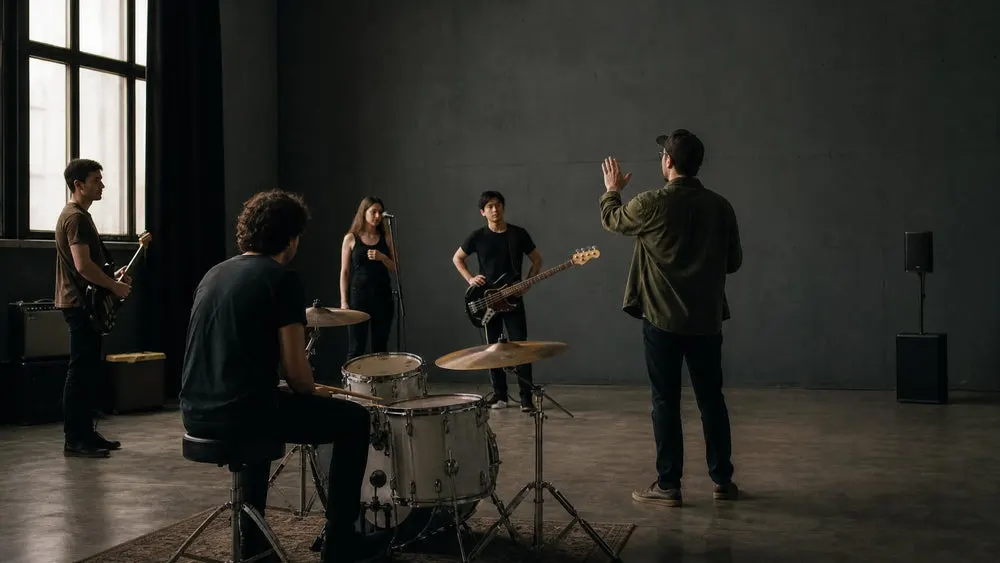
Backing tracks can make a live set bigger and tighter, but only if the band rehearses with them like another player. This plan gives you one focused rehearsal that checks starts, monitoring, routing, backups and recovery, followed by a full set run under show rules. Budget a few hours.
The aim is not a more complicated setup. It is removing guesswork, because a track that works at home can still trip you up on stage. The count-in might be unclear. Maybe only the drummer hears the click. The wrong output might feed the house. Or someone stops playing because they think the track has crashed while everyone else keeps going.
What you will need
- The playback device that starts the tracks: laptop, phone, tablet, sampler or pedal
- The real cables, adapters, hubs, chargers and power supplies you will use at the show
- Your monitor setup, whether shared wedges or in-ear monitors
- Paper, a pen and tape for a printed routing note
- A backup: a second device, exported files or an alternate playback plan
- A tempo reference kept outside the track session, with song tempos and count-in notes
Step by step
-
Define each track's job. For every song, decide what the track carries: percussion, synth layers, backing vocals, sound design, scene changes or a full arrangement bed. Write one short note answering "what happens if this track is missing?" If the song cannot happen without it, treat it as a performance dependency. If you could play a stripped version, rehearse that version once.
-
Set the first cue. Do not leave the start to a vague nod at the laptop. Name one cue giver, who either starts the track or clearly tells the playback operator to start it. Choose the pre-roll: two bars of click, a spoken count, a pickup sound or no count at all. Rehearse the same physical cue every time, such as the singer turning around, the drummer raising a stick or the keys player pressing play. Make sure everyone knows whether they come in with the track, after the count, after a pad or after a vocal cue.
-
Keep tempos somewhere separate. If tempos or set order are still changing, keep the tempo reference and count-in notes outside the track session so they are easy to update.
-
Assign who hears what. Click, cues and musical track elements are different jobs. A drummer might need a steady click. A vocalist might need spoken section cues. A guitarist might only need enough of the track to feel the arrangement. If everyone shares one monitor mix, it has to serve the performance, not just the person running playback. With in-ear monitors, treat the track feed as a cue system.
-
Run the monitoring pass. Play the first 20 seconds of a song. Each player says only "I can start" or "I cannot start." If anyone cannot start, fix the cue before talking about tone, effects or volume. Then run the same start again without stopping after the count-in.
-
Write the routing note. Keep it short and boring so it makes sense when everyone is tired at load-in. List the playback device. List the main output to the audience mix, such as stereo tracks, mono tracks or a specific stem group. Note whether click and count cues are private and who receives them. Write how many DI boxes, interface outputs, mixer channels or stage inputs you need. Finally, list every power supply, charger, hub, audio cable and adapter that must be packed.
-
Rehearse the physical setup. Put the playback device where it will sit on stage, use the real cables if you can, and stand where you will stand. A cable that reaches on a desk may fall short when the keyboard stand moves three feet to the left.
-
Run a recovery drill. Pick two songs. Without warning the whole band exactly when, start normally with the real count-in, cues and monitors. Then create one problem: stop the track, mute the click, start the wrong track or skip to the wrong section. Keep playing unless the cue giver stops you, so five people do not make five different emergency decisions. Use an agreed hand signal, spoken cue or musical fallback meaning "continue without track" or "stop and reset." Debrief in one minute: what you heard, what was confusing and what the next rule should be.
-
Define the emergency stop. Decide who may stop playback, what word or signal tells the band, and whether the drummer counts back in or the operator restarts from the top. Write it plainly: "If the wrong track starts, drummer calls 'hold,' playback stops, singer speaks to audience, restart from top."
Continue or reset
Some songs work best carrying on without the track. Theater cues and tightly synced productions may need a clean stop and reset. Neither is automatically better. The mistake is not deciding until the show is already moving.
Final run and checklist
Play the whole set with show rules: no fixing during songs, no casual restarts, no skipping awkward transitions. Then check:
- Song order matches the setlist, including titles, versions, keys and transitions.
- Each track has a clear start owner.
- Everyone knows what they hear before bar one.
- Click and cue mixes are assigned, so nobody gets surprised.
- Routing is written down, and outputs, inputs, adapters and power needs are easy to find.
- The backup is packed, reachable and tested enough to be useful.
- One person owns the stop or reset decision.
- Any song that can survive without tracks has been played that way once.
Fix only show problems
After the run, fix only what would affect the show and save production tweaks for another session. Send the routing note to the venue's sound engineer ahead of time when possible, or tape a printed copy near the playback station if you mix yourselves.
If the band can start together, hear the cues it needs, route the track correctly and recover from a mistake, the tracks have become part of the performance rather than files on a device.



0 comments
Join the conversation